Media tracking,
built for DITs & Videographers.
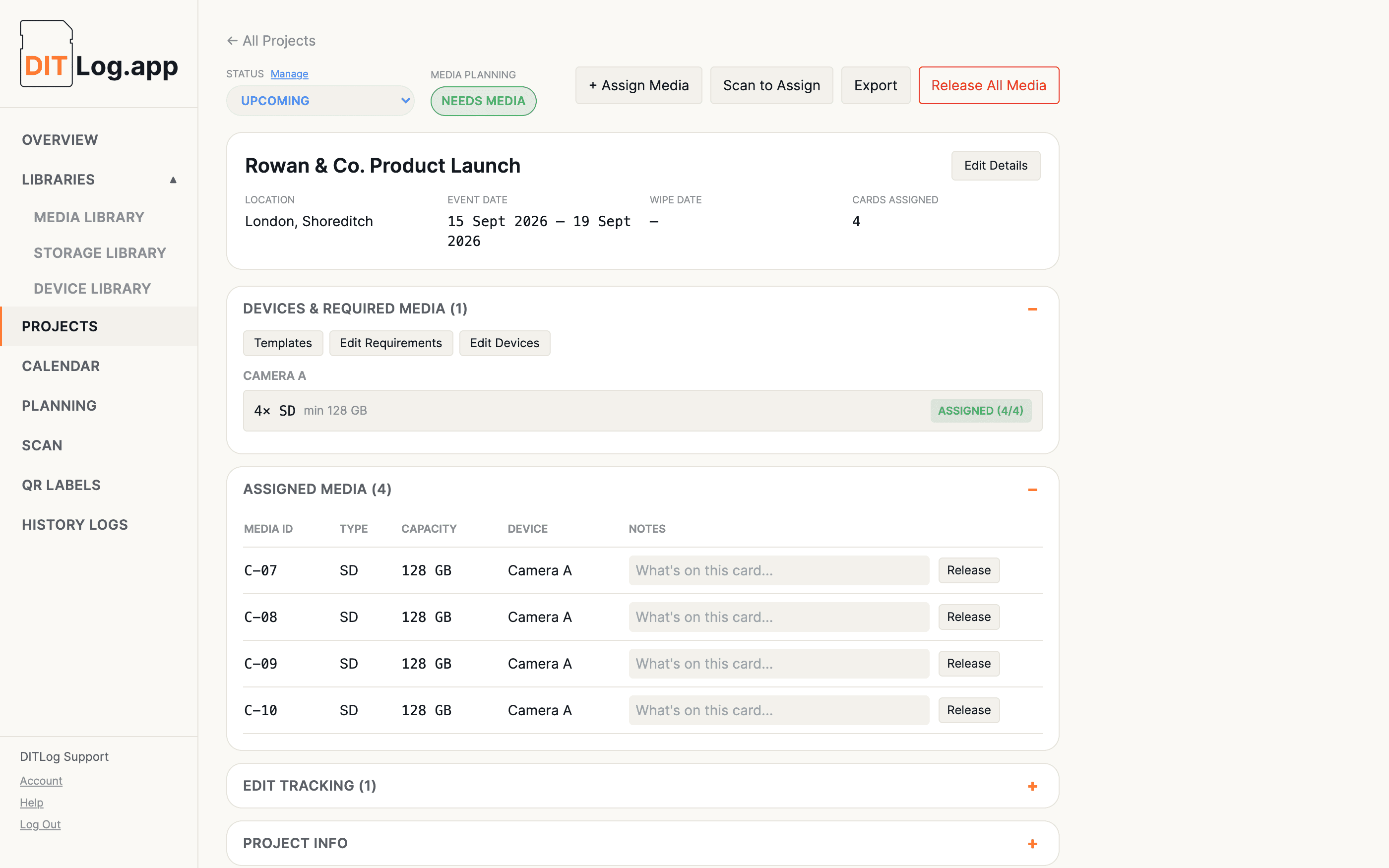
Know what's available, what's in use, and where every card is used.
Before, during, and after the project.
This is the app that tracks for you.
No credit card required to start. Trial includes 3 projects and 10 media items.
DIT stands for Digital Imaging Technician, the person on a film or video set responsible for managing camera media: backing up footage, keeping track of which cards are free, and making sure nothing gets overwritten before it's safely copied off. DITLog is built around that exact job.
Most videographers end up doing this job themselves between shoots, even without the title. If you've ever wondered which card's actually free before a job, or double-checked you haven't wiped something that wasn't backed up yet, DITLog is for keeping your own kit and client jobs organised, solo or as part of a bigger team.
Track every SD card, CFexpress card, and drive you own, including capacity, status, and history, with QR labels you can print and scan.
Assign cards to specific devices, like Camera A, Camera B, or Audio Recorder, right on the project itself.
A real, honest availability check across every upcoming project at once. If two shoots want the same card type, the one happening sooner gets first claim, and Planning tells you which project is actually short.
Scan a card's QR label with your phone to check it in or out of a project in seconds, without typing card IDs by hand. Order custom-printed labels for exactly the cards you use.
Set a starting roll for each device, like A001 for Camera A, and every card assigned to it gets tagged automatically, then advances to the next one on its own. The roll travels with the card all the way through to the History Log, so it's still there when an editor asks which roll a shot came from.
Bring on a second pair of hands without a second subscription. Invite a team member to work in your account, assigning and tracking media alongside you, with no access to billing or anything to delete.
See every project laid out by date, colour-coded by status, so you always know what's coming up and what's wrapped.
Keep track of which archive and backup drives hold which projects, long after the cards themselves have been wiped and reused.
Track every deliverable cut from a shoot, a long promo, a short promo, a social edit, each with its own status, current version, target date, and client requirements.
Frequently asked questions
You can subscribe from the Account page at any point during or after your 10-day trial to keep using DITLog. If your trial ends before you subscribe, your data stays safe. You just won't be able to make changes until you upgrade.
Not currently. Every page needs a live connection to load and save your data, so it's best used somewhere with at least a basic signal or WiFi.
No, other DITLog accounts can't see your projects, media, or account details, and every account's data is fully isolated from every other one. The one exception is by design, not a gap: if you invite a team member (Pro and Business), they get full working access to your account's data since that's the whole point, with no access to billing or anything to delete.
Use the "Forgot password?" link on the login page to get a reset link sent to your email.
No. Media history and archive logs live on their own, separate from the project, so they stick around even after a project is deleted.
More questions? Visit the Help & Guides page.
Ready to get organised before your next project?
Free for 10 days, 3 projects and 10 media items included. No card required.
Start your free trial